In this blog post, we will guide you step by step to complete the online check-in for your reservation with us in a simple and fast way.
WHY SHOULD I DO IT?
In accordance with Royal Decree 933/2021, of October 26, all guests are required to provide their personal data for registration in the Police system of the Generalitat – Mossos d’Esquadra. The information collected will be processed in accordance with data protection regulations and will be used exclusively to comply with applicable legal obligations.
To comply with these regulations:
· Registration obligation: It is essential that all guests over 14 years of age provide a valid identification document (DNI, NIE or passport) before entering the accommodation. For minors, the responsible guardian must sign indicating the relationship.
· Registration methods: The check-in process must be done online prior to arrival through the link sent by email within the GUEST AREA.
· Access condition: Failure to comply with this requirement could result in delays in accessing the accommodation.
HOW SHOULD I DO IT?
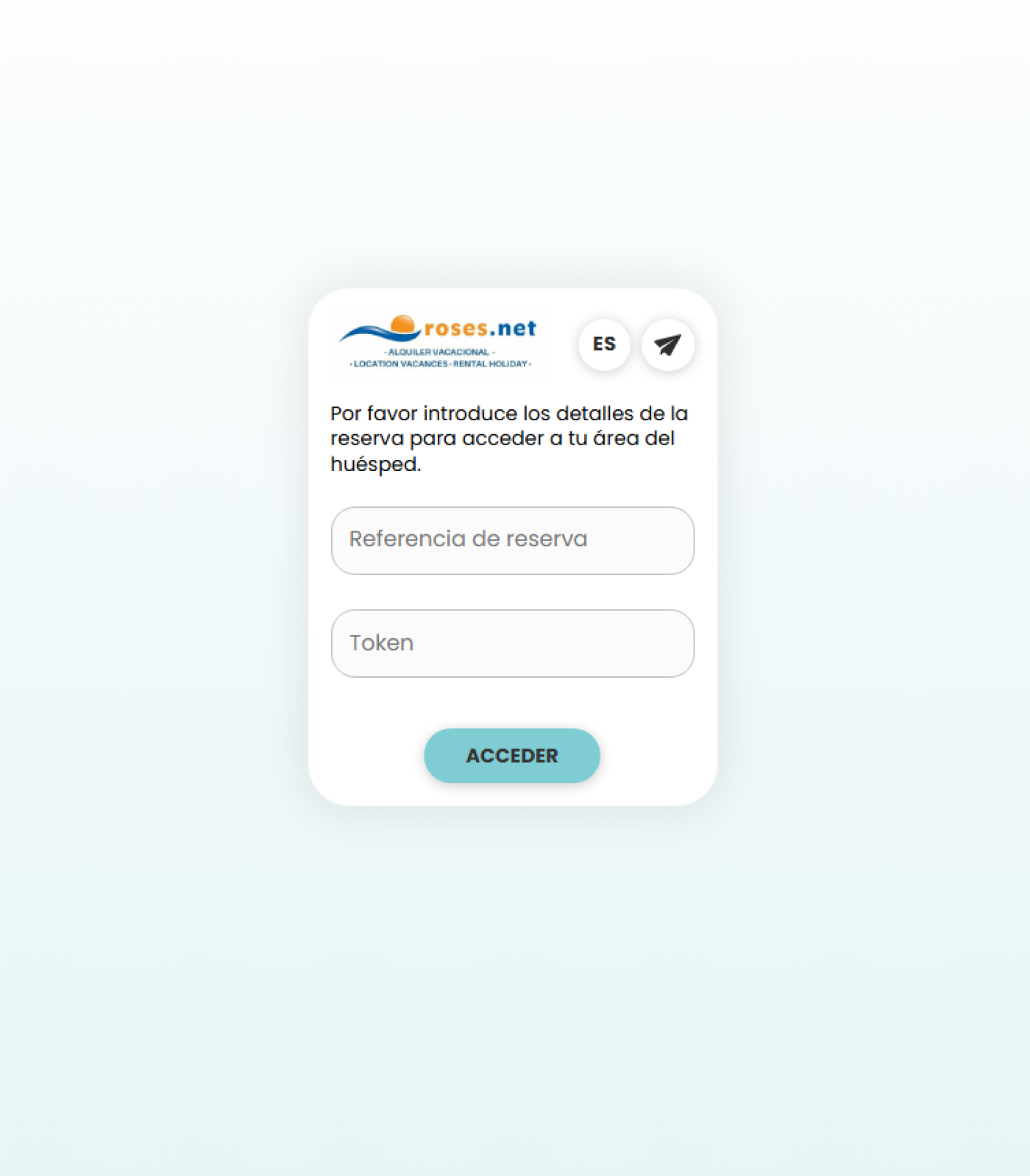
Once you receive the email to complete your online check-in, you must access the indicated website: https://guests.net2rent.com/guests/?a=309
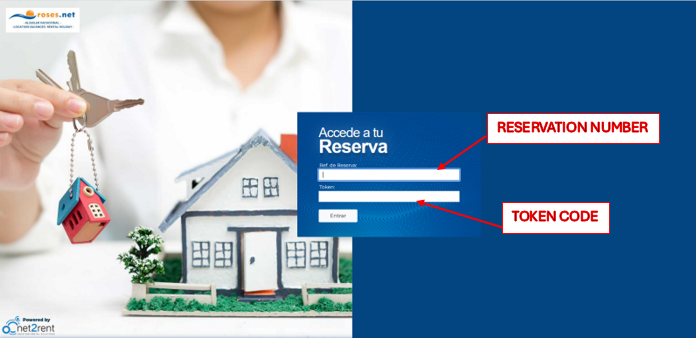
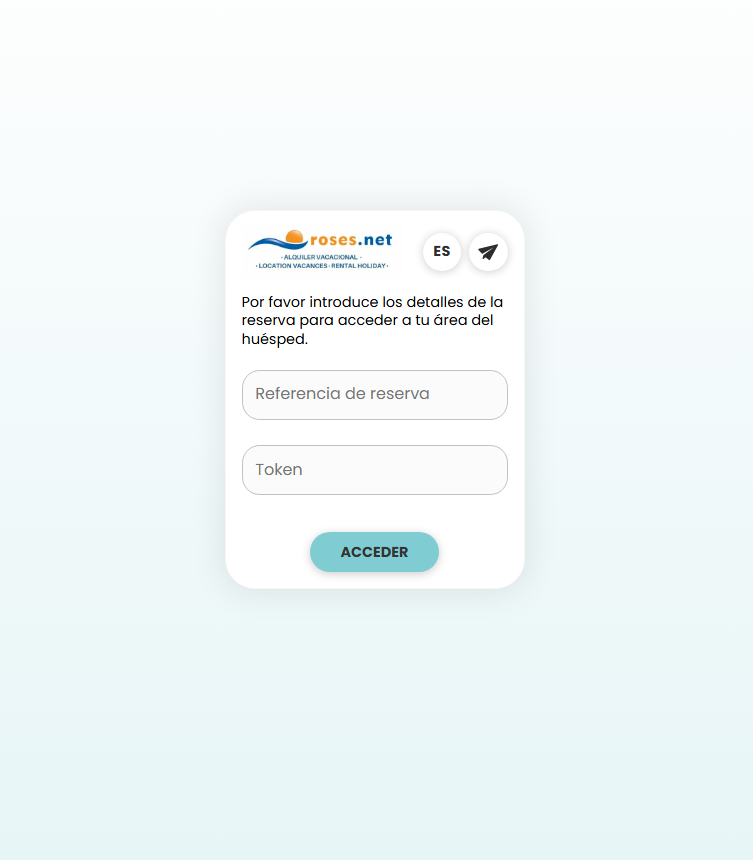
The page shown in the image will appear: you must enter the data indicated in the email.
Once you log in with your details, the following screen will appear. Click “Online Check-in.” On this page, you can also check your total payment and pay any outstanding balance.
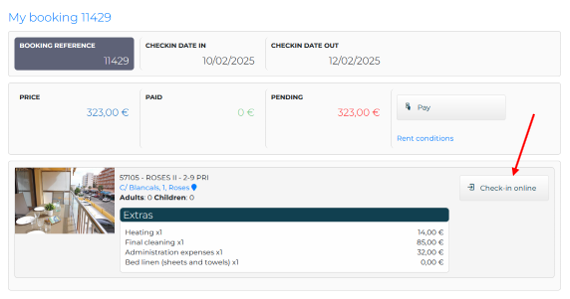
When you click on it, a screen will appear where you can fill in all your details. First, you’ll need to indicate the name of the reservation holder by selecting “I am the reservation customer.”
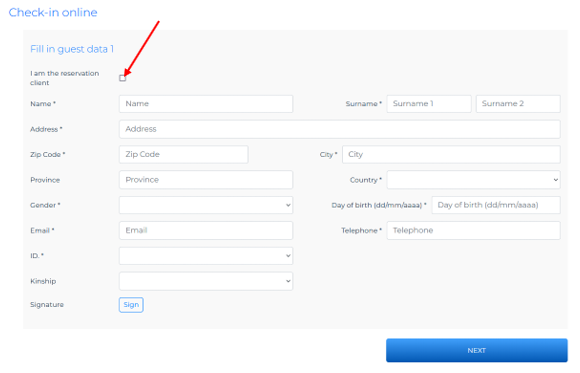
You can then proceed to fill in all the guests’ details.
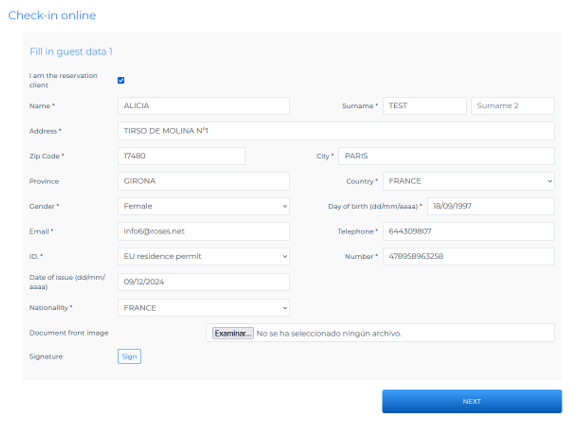
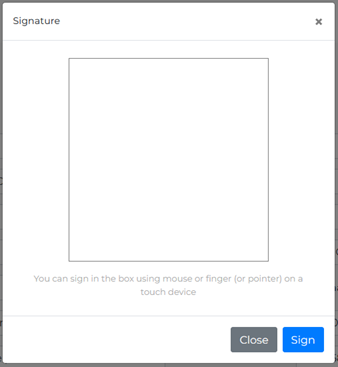
Once all the information is complete, you must sign. After signing and verifying that the information is correct, click “Next.”
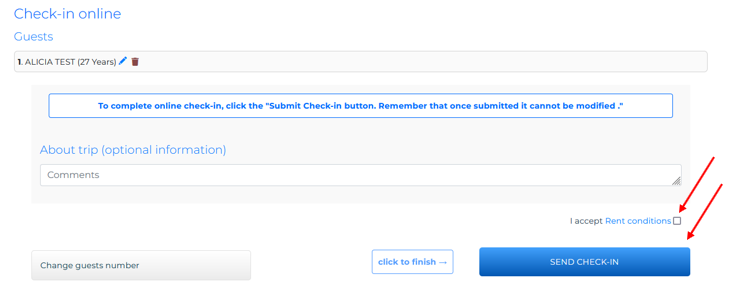
Once you have completed all your guests’ details, you can add any comments you wish to include in your reservation.
If this is not the case, you must accept the rental conditions and, once accepted, click “SEND CHECK-IN.”
WHAT IF WE ARE A LARGE GROUP?
If you’re a large group and want to share the link so they can fill in their details, no problem. You can log in with the same details and click “Next” until the next guest appears to complete their details.
HOW DO I KNOW IF I DID IT RIGHT?
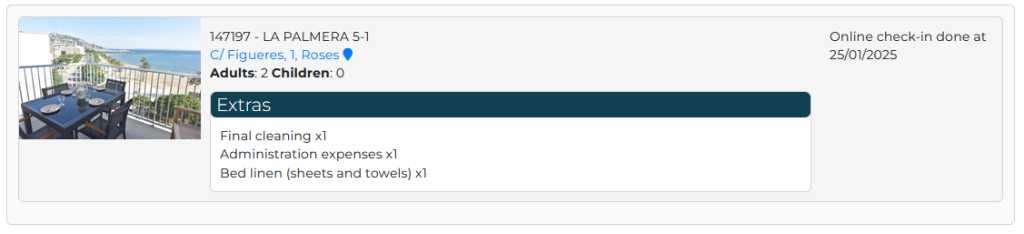
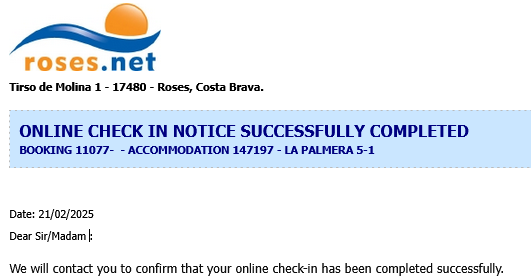
Once you have completed check-in, you will receive an email confirming that online check-in has been completed.
WHERE CAN I CONTACT IF I HAVE QUESTIONS?
Feel free to send us an email or WhatsApp message with your name and reservation number, along with your inquiry. We will be happy to assist you and help with anything you need.
Email: info@roses.net
Phone: +34 972 980 980
WhatsApp only: WhatsApp Contact